Workflows
Define a workflow, group it into an app, and trigger it with an event.
A workflow is a durable function triggered by an event. You define it with defineWorkflow, then
serve and register it so Duraton can drive it. The console lists every workflow an app has
registered:
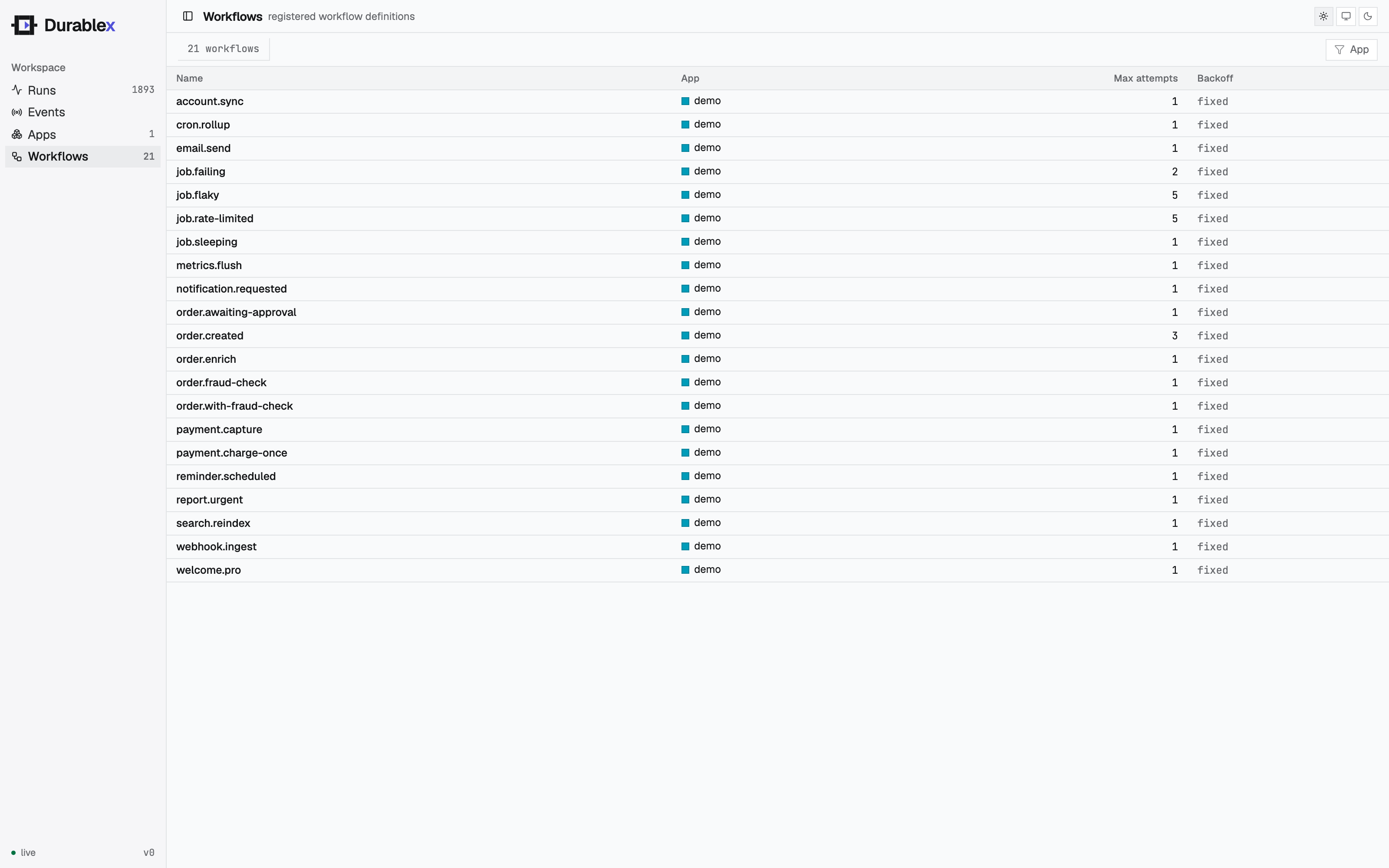
Select a workflow to open its detail drawer: the definition (app, schedule and next fire, retry
policy), live stats tiles, and runs-over-time and latency charts - all scoped to that one workflow and
filterable by time range - plus a table of just its runs. The charts and stats reuse the same data as
the console's Overview, narrowed with a ?workflow= filter on
GET /runs, GET /runs/stats, and GET /runs/timeseries. Selecting a run jumps to the Runs view with
that run open.
Defining a workflow
import { defineWorkflow } from "@duraton/sdk";

interface OrderData {
  orderId: string;
}

const orderCreated = defineWorkflow<OrderData>({
  name: "order.created",
  retry: { maxAttempts: 3 },
  handler: async (ctx) => {
    const charge = await ctx.step.run("charge", () => chargeCard(ctx.event.data));
    return charge;
  },
});nameidentifies the workflow. With notriggers, an event of the same name starts it; declaretriggersto start it from other events (with filters/wildcards) or a cron schedule.retrysets how steps retry on failure. Optional; see Retries.handleris your workflow body. It receives a context (ctx) and usesctx.stepto do durable work.
The type parameter (<OrderData>) types ctx.event.data, so your event payload is checked.
The handler context
| Field | What it is |
|---|---|
ctx.event | The triggering event: { name, data }. |
ctx.step | The durable step API - run and sleep. See Steps. |
ctx.runId | The id of this run. |
ctx.attempt | Which attempt this run is on. |
Serving and registering
Group your workflows into an app - a named set of workflows that run together in one process.
serve() turns them into an HTTP handler Duraton calls; register() announces the app to Duraton on startup.
import { register, serve } from "@duraton/sdk";

const invoke = serve({ workflows: [orderCreated] });

Bun.serve({
  port: 6773,
  fetch(req) {
    const url = new URL(req.url);
    if (req.method === "POST" && url.pathname === "/invoke") {
      return invoke(req);
    }
    return new Response("duraton runner");
  },
});

await register({
  engineUrl: process.env.DURATON_ENGINE_URL!,
  app: "order-app",
  url: "http://localhost:6773/invoke",
  workflows: [orderCreated],
});
register() is idempotent - it's safe to call on every startup.
Triggering a run
Send an event whose name matches a workflow. Duraton creates a run and drives it to completion.
curl -X POST $DURATON_ENGINE_URL/events \
  -d '{"name":"order.created","app":"order-app","data":{"orderId":"A1"}}'
The response includes a run id you can use to inspect the run at GET /runs/{id} and its steps at
GET /runs/{id}/steps.