Quickstart
Get your first durable run finishing in five steps: create a project, issue a key, write a workflow, connect a runner, and trigger it.
Five steps: create a project, issue a key, write a workflow, connect a runner, trigger it.
Duraton is in beta. Install from the @next tag: @duraton/sdk@next. A plain
npm install @duraton/sdk resolves to the latest tag, which currently lags behind and is missing
the recent features (run tags, bulkCancel, watchFiltered, step.skip, per-step retry, and more)
- with no error to tell you. Use
@nextuntillatestcatches up.
1. Create your project
Sign up at app.duraton.dev. A workspace is created for you with a first project inside it, and the Overview walks you through the steps below. A project is the isolated slice - its own runs, events, keys, and runners; a workspace holds many. You can add more projects - and invite members - later.
2. Issue an API key
Keys are scoped to a project. In the console, open API Keys and issue a secret key. A secret key is read + write - your runner connects and reports results with it. It's shown once, so copy it now.
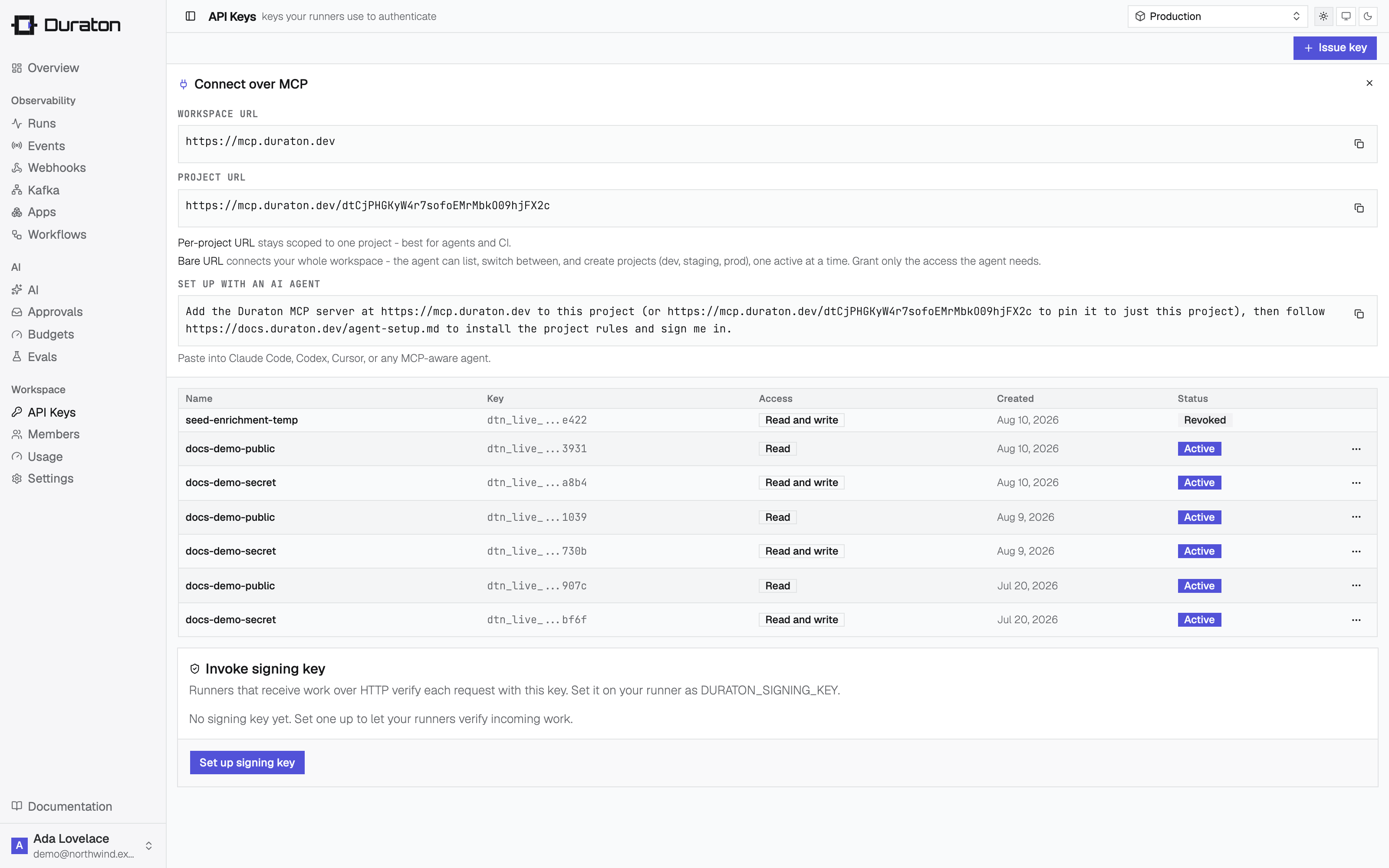
Set it in your runner's environment:
export DURATON_API_KEY="dtn_live_..."3. Write a workflow
Add the SDK for your language. The TypeScript SDK runs on Node.js and Bun:
npm install @duraton/sdk@nextpnpm add @duraton/sdk@nextyarn add @duraton/sdk@nextbun add @duraton/sdk@nextuv add duraton
# or, with pip: pip install duratongo get duraton.dev/sdk-goA workflow is a function triggered by an event. Wrap each unit of work in a step so it runs once and its result is remembered.
import { defineWorkflow } from "@duraton/sdk";

interface TicketData {
  ticketId: string;
}

const ticketCreated = defineWorkflow<TicketData>({
  name: "ticket.created",
  retry: { maxAttempts: 3 },
  handler: async (ctx) => {
    const { ticketId } = ctx.event.data;

    const triage = await ctx.step.run("triage", () => ({
      category: "billing",
      priority: "high",
    }));

    await ctx.step.sleep("cool-off", "10s");

    const refund = await ctx.step.run("refund", () => ({
      refundId: `re_${ticketId}`,
    }));

    return { ticketId, triage, refund };
  },
});from duraton import RetryConfig, define_workflow
from duraton.context import StepContext
async def handle_ticket(ctx: StepContext) -> object:
ticket_id = ctx.event.data["ticketId"]
triage = await ctx.step.run("triage", lambda: {
"category": "billing",
"priority": "high",
})
await ctx.step.sleep("cool-off", "10s")
refund = await ctx.step.run("refund", lambda: {"refundId": f"re_{ticket_id}"})
return {"ticketId": ticket_id, "triage": triage, "refund": refund}
ticket_created = define_workflow(
"ticket.created",
handle_ticket,
retry=RetryConfig(max_attempts=3),
)import (
"time"
"duraton.dev/sdk-go/duraton"
)
type Ticket struct {
TicketID string `json:"ticketId"`
}
type Triage struct {
Category string `json:"category"`
Priority string `json:"priority"`
}
type Refund struct {
RefundID string `json:"refundId"`
}
var ticketCreated = duraton.DefineWorkflow(duraton.WorkflowDefinition{
Name: "ticket.created",
Retry: &duraton.RetryConfig{MaxAttempts: 3},
Handler: func(c *duraton.Context) (any, error) {
ticket, err := duraton.EventData[Ticket](c)
if err != nil {
return nil, err
}
triage, err := duraton.Run(c, "triage", func() (Triage, error) {
return Triage{Category: "billing", Priority: "high"}, nil
})
if err != nil {
return nil, err
}
if err := duraton.Sleep(c, "cool-off", 10*time.Second); err != nil {
return nil, err
}
refund, err := duraton.Run(c, "refund", func() (Refund, error) {
return Refund{RefundID: "re_" + ticket.TicketID}, nil
})
if err != nil {
return nil, err
}
return map[string]any{"ticketId": ticket.TicketID, "triage": triage, "refund": refund}, nil
},
})4. Connect a runner
connect() dials Duraton over an outbound WebSocket. There is no port to expose, no public URL, and
no separate registration - it works from a laptop, a container, or a box behind NAT. It reads
DURATON_API_KEY from the environment you set in step 2. app groups a runner's workflows under a
name the console and other runners see; skip it and it defaults to "default".
import { connect } from "@duraton/sdk";

connect({ app: "support-app", workflows: [ticketCreated] });import asyncio
from duraton import Runner
async def main() -> None:
await Runner([ticket_created], app="support-app").run()
asyncio.run(main())import (
"log"
"duraton.dev/sdk-go/duraton"
)
func main() {
runner, err := duraton.Connect(duraton.ConnectOptions{
App: "support-app",
Workflows: []duraton.WorkflowDefinition{ticketCreated},
})
if err != nil {
log.Fatal(err)
}
defer runner.Close()
runner.Wait()
}npx tsx runner.tsbun run runner.tsuv run runner.pygo run runner.goOpen Apps in the console: the runner is listed as connected, with its workflows.
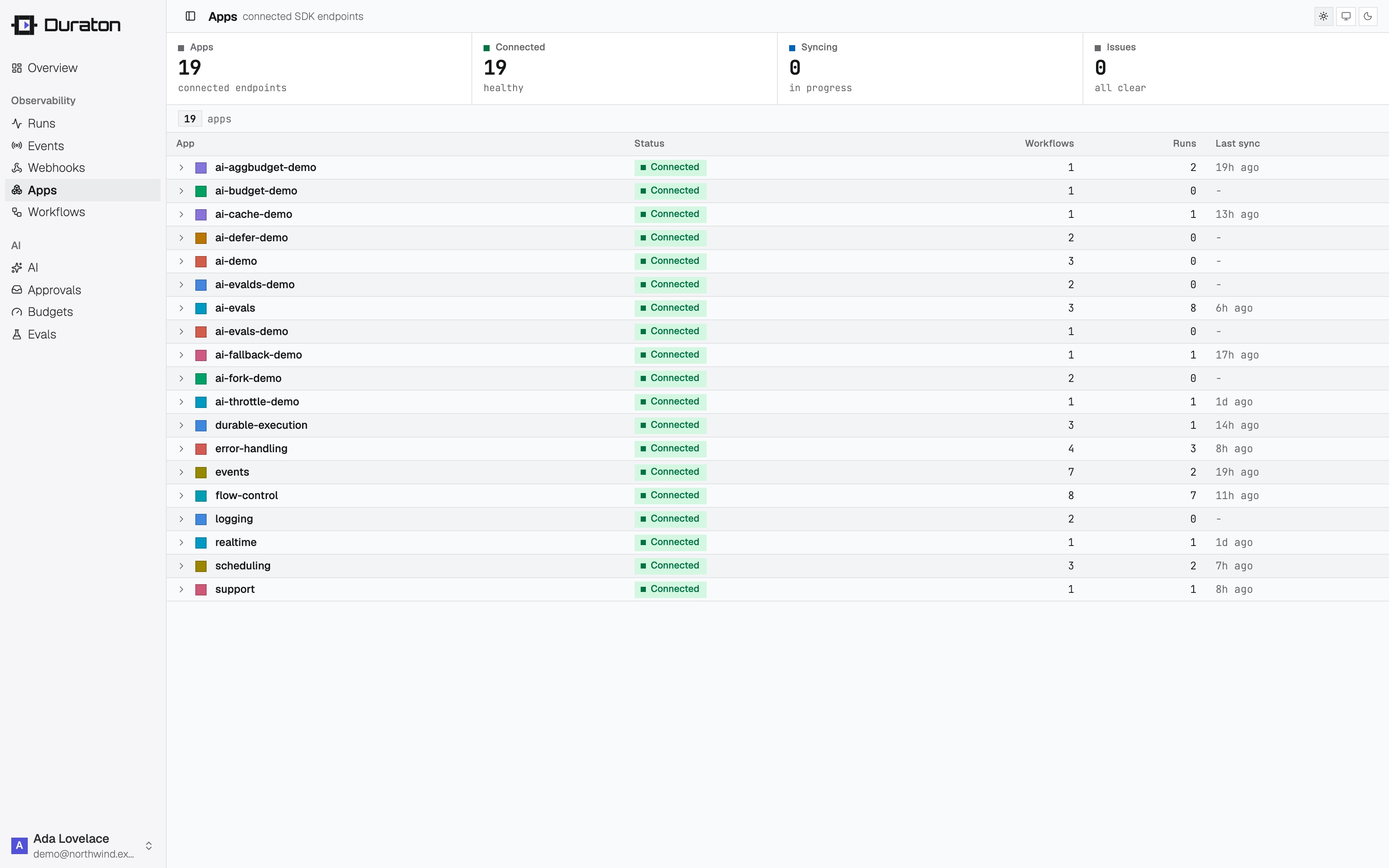
Already hosting a public HTTP service?
If your workflows live in a service you already expose at a public address - a Next.js app, an
Express API, a serverless function - mount them there with serve() instead. Duraton POSTs each
invoke to runnerUrl, so that address must be reachable from the internet.
Each adapter both serves your workflows and registers them: passing app turns on registration, and
the Duraton URL comes from DURATON_URL. The route defaults to /invoke.
A serve() runner must be reachable at its runnerUrl. If it is not - private network, laptop, NAT, or a
dynamic address - use connect().
import { serve } from "@duraton/sdk/next";
import { ticketCreated } from "../../../workflows";

export const { POST } = serve({
  app: "support-app",
  runnerUrl: "https://your-app.example.com/api/duraton",
  workflows: [ticketCreated],
});import { serve } from "@duraton/sdk/bun";
Bun.serve({
port: Number(process.env.PORT ?? 3000),
routes: {
"/invoke": serve({
app: "support-app",
runnerUrl: "https://your-runner.example.com/invoke",
workflows: [ticketCreated],
}),
},
});import { serve } from "@duraton/sdk/hono";
import { Hono } from "hono";
const app = new Hono();
app.post(
"/invoke",
serve({
app: "support-app",
runnerUrl: "https://your-runner.example.com/invoke",
workflows: [ticketCreated],
}),
);
export default { port: Number(process.env.PORT ?? 3000), fetch: app.fetch };import { serve } from "@duraton/sdk/elysia";
import { Elysia } from "elysia";
new Elysia()
.post(
"/invoke",
serve({
app: "support-app",
runnerUrl: "https://your-runner.example.com/invoke",
workflows: [ticketCreated],
}),
)
.listen(Number(process.env.PORT ?? 3000));import { serve } from "@duraton/sdk/express";
import express from "express";
const app = express();
app.post(
"/invoke",
serve({
app: "support-app",
runnerUrl: "https://your-runner.example.com/invoke",
workflows: [ticketCreated],
}),
);
app.listen(Number(process.env.PORT ?? 3000));import { serve } from "@duraton/sdk/fastify";
import Fastify from "fastify";
const app = Fastify();
app.register(
serve({
app: "support-app",
runnerUrl: "https://your-runner.example.com/invoke",
workflows: [ticketCreated],
}),
);
app.listen({ port: Number(process.env.PORT ?? 3000) });import { toNodeHandler } from "@duraton/sdk/node";
import { createServer } from "node:http";
createServer(
toNodeHandler({
app: "support-app",
runnerUrl: "https://your-runner.example.com/invoke",
workflows: [ticketCreated],
}),
).listen(Number(process.env.PORT ?? 3000));Next.js and Bun need only the SDK. The others also need their framework installed - add hono,
elysia, express, or fastify with your package manager.
5. Trigger it
Send the event the workflow listens for - with the SDK client, or over the REST API authenticated with your key:
import { createClient } from "@duraton/sdk";

const duraton = createClient({
  url: process.env.DURATON_URL!,
  apiKey: process.env.DURATON_API_KEY,
});

await duraton.events.send({
  name: "ticket.created",
  app: "support-app",
  data: { ticketId: "T-421" },
});
import asyncio
from duraton.client import AsyncDuratonClient, SendEventInput
async def main() -> None:
async with AsyncDuratonClient() as dx:
await dx.events.send(
SendEventInput(name="ticket.created", app="support-app", data={"ticketId": "T-421"})
)
asyncio.run(main())import (
"context"
"encoding/json"
"log"
"duraton.dev/sdk-go/client"
)
func main() {
dx := client.New(client.Options{})
_, err := dx.Events.Send(context.Background(), client.SendEventInput{
Name: "ticket.created",
App: "support-app",
Data: json.RawMessage(`{"ticketId":"T-421"}`),
})
if err != nil {
log.Fatal(err)
}
}curl -X POST "$DURATON_URL/events" \
-H "Authorization: Bearer $DURATON_API_KEY" \
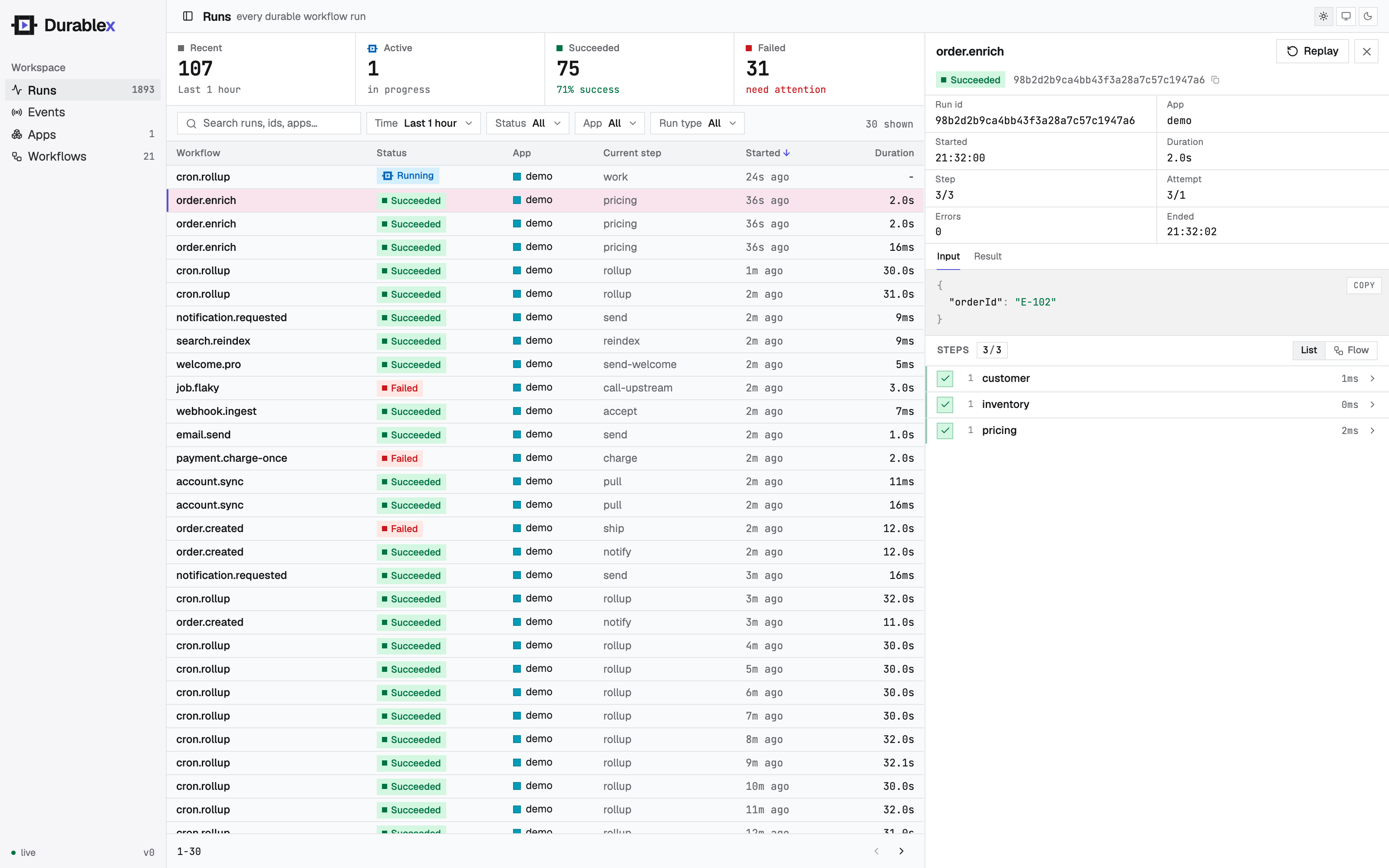
-d '{"name":"ticket.created","app":"support-app","data":{"ticketId":"T-421"}}'Open Runs in the console. triage completes, the run waits out the sleep, then refund completes
and the run succeeds - streaming in live as it executes.
6. Restart the runner mid-run
While the run is sleeping, stop your runner (Ctrl-C) and start it again the same way you ran it above.
Duraton holds the run and re-invokes when the runner reconnects. triage does not run a second
time - its result was recorded on the first pass, so the run resumes at refund.